


Tinker DIY
4.787.00 Reviews
App Specs
- Version
- 4.1.1
- Updated On
- License
- Free
- Downloads
- 100,000+
- Developer
- Tinker DIY
- Categories
- Auto & Vehicles
- Platform
- Android, iOS
Screenshots
 Analysis by AppCompare
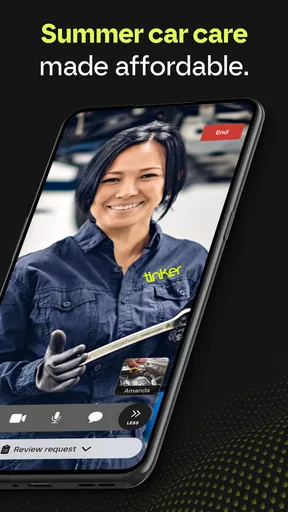
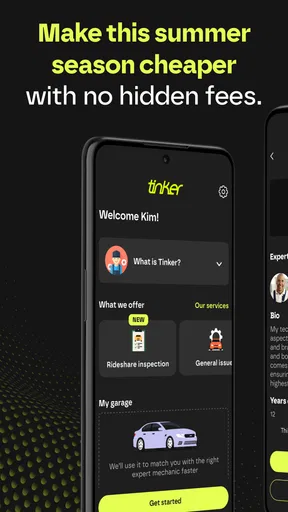
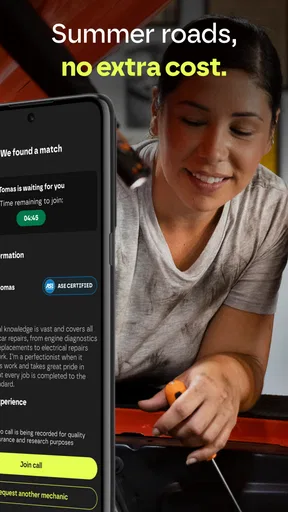
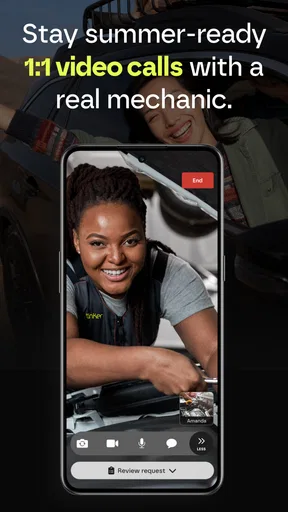
I first looked at Tinker DIY as a way to get practical help with car questions, and that is the lens through which it makes the most sense. This is an Auto & Vehicles app from Tinker DIY, built around connecting drivers with automotive experts by live video. It is free, rated for Everyone, and its current version is 4.1.1. The appeal is not a library of craft projects or a general vehicle encyclopedia; it is the chance to show someone a problem and talk it through in real time.
Where the app fits today
When a car makes an unfamiliar noise or a warning light appears, searching online can leave me with a dozen possible explanations and no clear way to tell which applies. A video conversation offers a different kind of help: I can describe what happened, show the relevant area, and ask follow-up questions while an automotive expert responds. That can make Tinker DIY useful for narrowing down what to check next, especially when I am unsure how to describe the issue in a search box.
The live format is best viewed as guidance, not a substitute for a physical inspection or repair. A camera cannot reveal every fault, and an expert who is not standing beside the vehicle may need to work from what I can safely show and explain. I would use the conversation to get a clearer sense of the concern and possible next steps, then turn to a repair shop when the problem calls for hands-on diagnosis or work.
How I would prepare for a useful call
The quality of remote help depends partly on the information I bring to the conversation. Before asking for advice, I would note when the problem started, whether it happens every time or only under certain conditions, and any recent changes such as a service visit or a new sound. Those details can save time and prevent a conversation from becoming a vague “something feels wrong” report.
I would also plan what I can show without putting myself or anyone else at risk. A parked vehicle and a well-lit area are far better settings than trying to point a phone at a moving car. If the issue involves a part that is hot, moving, or difficult to reach, I would describe it rather than touch it for the camera. Remote advice is most valuable when the problem can be explained and shown safely.
Useful situations, and a realistic trade-off
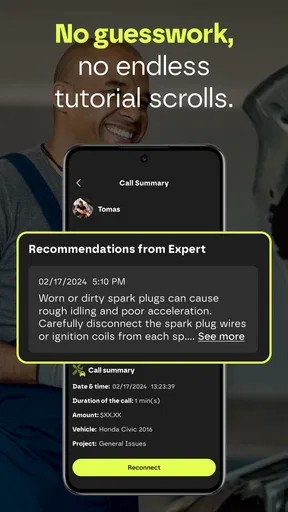
Imagine I notice a new sound after parking at home. I can make a note of when it occurs, check whether it is still present while the car is stationary, and then explain those observations during a video session. An expert may help me decide whether the sound seems urgent, what information to give a mechanic, or which safe checks are worth considering. That is a more focused use than expecting a call to deliver a guaranteed diagnosis.
The app may also help someone who has received an explanation at a repair shop but wants to understand the terminology or prepare sensible follow-up questions. It can be reassuring to talk through what a warning or symptom might mean before deciding how to proceed. Still, I would not use a remote conversation to delay attention to a serious safety concern. If the car feels unsafe to drive, professional in-person assistance is the better choice.
Worth Reading Before You Choose

EA SPORTS FC Mobile 26 Is a Bigger Football Game, but It Takes Time

Flipboard Shows What News Apps Must Do Beyond the Feed

Switching to Android Auto Means Rethinking Your Driving Routine

Google Calendar Makes a Crowded Week Easier to Manage

Ludo King Makes the Most of the Minutes Between Plans

Baby Panda World Brings Quick Play to Modern Phones, but Its Game Library Feels Busy
Compared with searching and calling a shop
For a simple question, a search engine or a vehicle manual may be faster and easier. Those options are useful when I already know the warning symbol, part name, or symptom I want to look up, and they let me read at my own pace. Their weakness is that the information is not tailored to what I can show on my particular vehicle. Tinker DIY’s live format is more interactive, but it asks me to have a suitable connection, explain the issue clearly, and be available for a conversation.
A repair shop is the stronger option when the car needs inspection, testing, or a repair. Tinker DIY sits between self-guided research and taking the vehicle in: it can help me make sense of a concern and decide what to ask next, but it should not be treated as a replacement for a mechanic’s hands-on work. That distinction is important for anyone comparing it with a diagnostic tool, a repair manual, or a local garage.
Who is likely to get the most from it
I see the clearest fit for drivers who have a specific question and would benefit from showing the vehicle rather than describing everything in text. It may be especially useful for people who feel unsure about automotive terminology, want to discuss symptoms before arranging service, or need help framing a question for a mechanic. Someone comfortable doing basic research may prefer a manual or a focused search for routine information.
It is less suited to people expecting an instant written answer, a guaranteed diagnosis, or step-by-step instruction for a repair that requires tools and direct inspection. Live video also works best when I can speak privately, hold the phone steadily, and get a clear view of the relevant area. If I am in a noisy place, have an unreliable connection, or cannot safely approach the vehicle, the call may be less useful than a written note to a repair professional.
Getting Started with Tinker DIY
First things first, downloading Tinker DIY is a breeze. Available for both Android and iOS, it’s as easy as pie to get it up and running. Once installed, you're greeted with an inviting and user-friendly interface. The app’s design is clean and intuitive, making it super simple to navigate through different projects and categories.
Right off the bat, you'll notice that the app caters to all skill levels. Whether you're a novice trying to build your first birdhouse or a seasoned pro tackling complex furniture projects, there’s something for everyone. The app provides step-by-step instructions, complete with images and sometimes even video tutorials, making the whole process as straightforward as it gets.
Diverse Project Categories
One of the coolest things about Tinker DIY is its extensive range of project categories. From home decor and fashion accessories to garden projects and upcycling ideas, the app covers it all. It’s like having an endless treasure trove of creativity at your fingertips.
If you’re into seasonal crafts, the app has got you covered with projects for every holiday and season. It’s perfect for those of us who like to add a personal touch to our celebrations. Plus, the app frequently updates its library, so there's always something new to explore and create.
Personalized Experience
Another feature that stands out is the app's personalized experience. You can save your favorite projects, so they’re easy to find later. The app also offers recommendations based on your past projects and interests. It feels like the app gets to know you and your DIY preferences over time, which is pretty neat.
For those who like to plan, there’s a project calendar feature. You can schedule when you want to start a project and set reminders, ensuring you never miss out on your crafting plans. It’s a great tool for keeping your DIY life organized and stress-free.
Community and Sharing
What’s a DIY app without a strong community? Tinker DIY doesn’t disappoint in this department. The app has a vibrant community of users who love to share their completed projects and tips. You can browse through user-generated content, comment, and even upload your own creations.
It’s a fantastic way to get inspiration and feedback from fellow DIY enthusiasts. Plus, the app’s sharing feature makes it easy to showcase your work on social media, so you can flaunt your crafting prowess to your friends and family.
Materials and Tools Guide
One of the hurdles in DIY projects is knowing what materials and tools you need. Tinker DIY includes detailed guides for each project, listing everything you’ll need. It even offers suggestions for where to purchase materials, which is a lifesaver for those who want to get started without any hassle.
The app also provides alternatives and substitutes for materials, which is helpful if you're working on a budget or can't find a specific item. It’s all about making DIY accessible and fun for everyone.
Final Thoughts
In a nutshell, Tinker DIY is a gem for anyone interested in do-it-yourself projects. It’s straightforward, packed with features, and offers a delightful community experience. Whether you’re crafting alone or with family and friends, this app is sure to become your go-to resource.
So, if you're ready to unleash your creativity and embark on some exciting DIY adventures, give Tinker DIY a try. You might just find your next favorite hobby, and who knows? You might even create something that you'll cherish for years to come.
Choosing the right kind of DIY help
There is one important point I would check before relying on the app: its actual purpose is automotive assistance, not the craft-project experience described in the older passages above. The app’s focus is live video help from automotive experts. If you are looking for furniture plans, craft tutorials, a project calendar, or a community for sharing handmade work, a dedicated crafting app is the sensible choice instead.
For a driver, the useful question is whether a live conversation suits the problem. A confusing dashboard light or an unusual but non-emergency symptom may be easier to discuss face to face on screen than through a string of generic search results. A routine question that is already answered in the owner’s manual may not justify a call, while a suspected mechanical fault that needs testing should go to a qualified local workshop.
What to have ready before opening the app
I would keep the conversation focused by having the vehicle details and a short symptom history at hand, along with any warning message I can safely record. It helps to separate what I observed from what I suspect: “the sound started after I parked” is more useful than guessing which component has failed. If the issue happens intermittently, noting the conditions in which it appears gives the expert something concrete to work with.
It is also worth thinking about the camera setup. A clean lens, enough light, and a stable view can make a small detail easier to discuss. I would avoid crawling under a vehicle or leaning into a hazardous area just to provide a better angle. If showing the issue would be unsafe, a verbal description is the right limit; the app should not encourage risky troubleshooting.
What the app’s track record suggests
Tinker DIY has an average rating of 4.7 from 457 ratings, with 87 written reviews, and more than 100K installs. Those figures suggest that many users have found a reason to try it, though a rating cannot tell me whether a particular expert can assess my specific issue or whether a call will fit my circumstances. I would treat the feedback as a useful signal of interest, not a promise of a particular result.
The app was released on June 13, 2024, and the current version is 4.1.1. That gives a reader a clear reference point for its current stage, but it does not by itself show which capabilities have changed between releases. Existing users should check the version shown on their device and pay attention to any in-app guidance when updating. I would judge future changes by whether they make it easier to explain a vehicle problem, connect with an expert, and understand the next step—not simply by a version number.
What I would keep in mind before relying on it
The main limitation is inherent to remote automotive advice: the expert’s view depends on what I can communicate and show. A camera may help with visible details, but it cannot reproduce a test drive, inspect a hidden component, or carry out measurements. So even a clear conversation may end with a recommendation to get the vehicle checked in person. That is not a failure of video support; it is a boundary users should understand before treating any remote opinion as definitive.
I would also decide in advance what I need from the session. Am I trying to understand whether a symptom needs prompt attention, learn what to explain to a shop, or get general guidance about a warning? A narrow question is easier to answer than asking an expert to solve every unknown at once. If the conversation does not settle the issue, I would use it to prepare for a mechanic visit rather than keep repeating the same remote checks.
Pros
- User-friendly interface for all skill levels.
- Extensive library of DIY project ideas.
- Step-by-step guides with visual aids.
- Regular updates with new content.
- Community forum for sharing tips.
Cons
- Limited offline functionality.
- Some projects require in-app purchases.
- Occasional bugs in the tutorial videos.
- No option for personalized project recommendations.
- Ads can be intrusive at times.
FAQs for Tinker DIY
What is Tinker DIY and what can I do with it?
Tinker DIY is a creative app designed for DIY enthusiasts looking to explore various crafting projects. It provides step-by-step tutorials, supply lists, and video guides for a wide array of projects, from home decor to personalized gifts. Whether you're a beginner or an experienced crafter, Tinker DIY offers inspiration and guidance to bring your ideas to life.
Is Tinker DIY suitable for beginners?
Yes, Tinker DIY caters to all skill levels, including beginners. The app includes easy-to-follow tutorials with detailed instructions and visual aids to ensure users can successfully complete projects. It also offers beginner-friendly categories and projects, making it an excellent starting point for those new to DIY crafts.
What features does Tinker DIY offer?
Tinker DIY features a variety of tools to enhance your crafting experience. Users can access video tutorials, save their favorite projects, create shopping lists for needed materials, and share their creations with the community. The app also offers a search function to easily find projects based on interest or difficulty level.
Are there any costs associated with using Tinker DIY?
Tinker DIY is free to download and offers a range of free projects. However, it also includes premium content which may require in-app purchases or a subscription to access. These paid features often provide advanced tutorials, exclusive projects, and ad-free browsing, enhancing the overall user experience.
Does Tinker DIY require any special permissions on my device?
Tinker DIY may request permissions to access your device's camera, storage, and internet connection. These permissions are typically used for uploading and sharing project photos, saving content, and accessing online resources. Users can manage these permissions through their device settings for privacy control.


